Pain Scored will be shutting down our servers on May 30th, 2026. After this date the website and application will no longer be accessible. If you would like to retain your data, please follow the instructions below before the shutdown date:
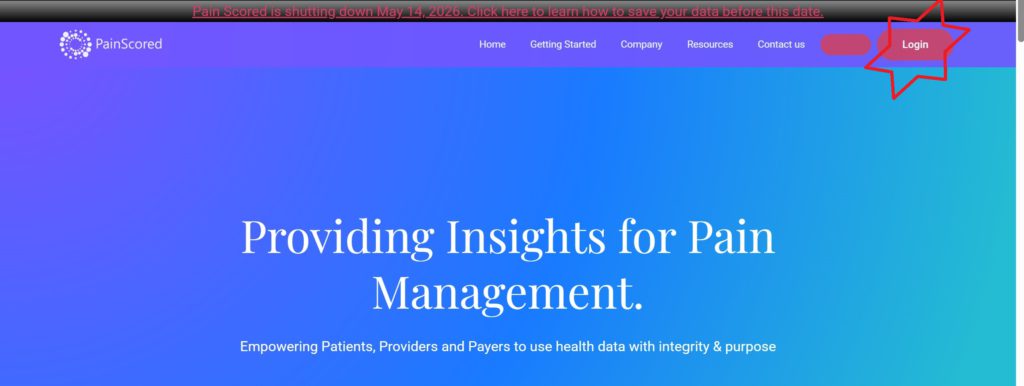
STEP 1:: Using your web browser navigate to www.painscored.com
STEP 2:: Select ‘Login”
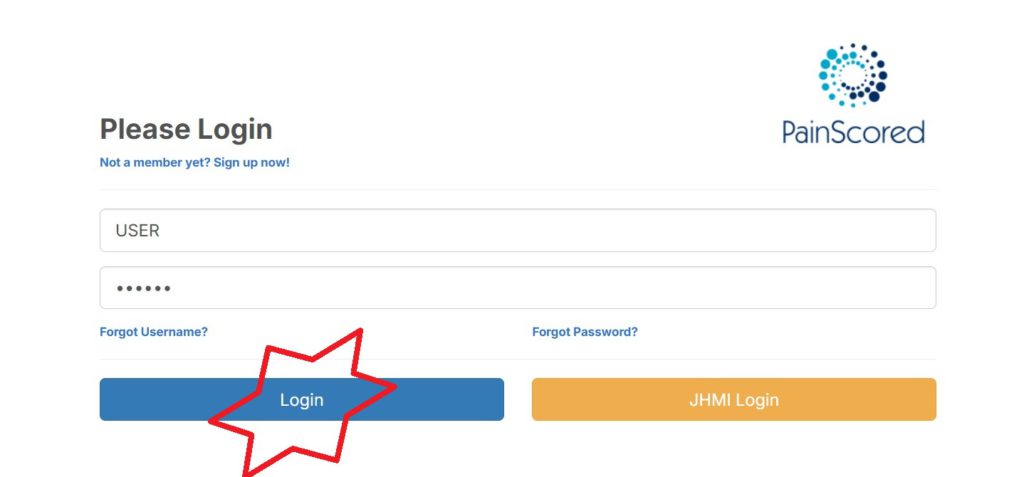
STEP 3:: Enter your username and password, and then click the “Login” button
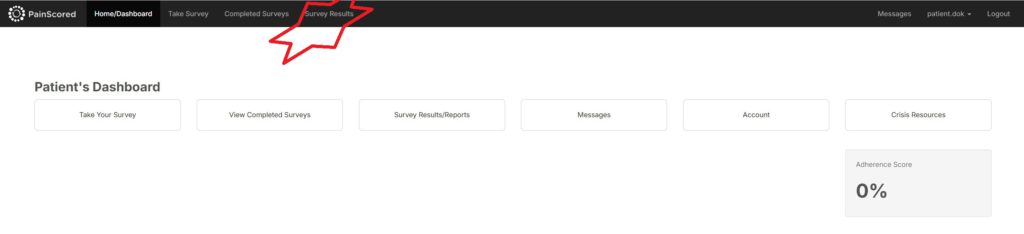
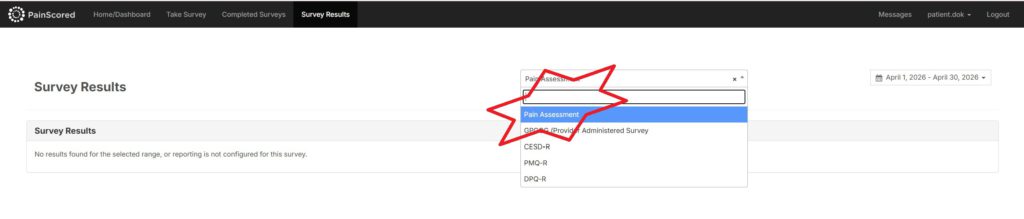
STEP 6:: After logging in, select “Survey Results” on the top menu
STEP 7:: After the page loads select “Pain Assessment” from the dropdown list
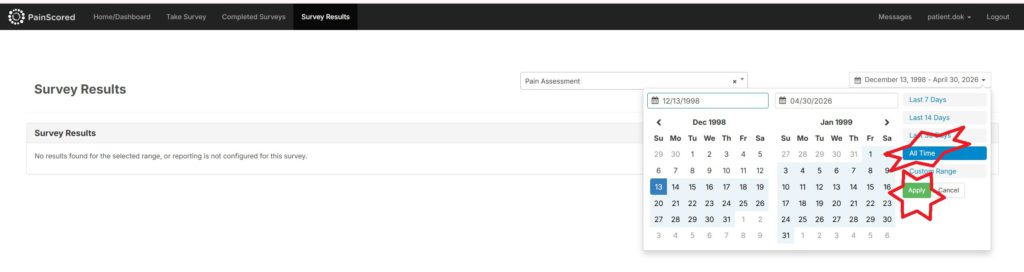
STEP 8:: Select “All Time” and then click “Apply” from date selection panel
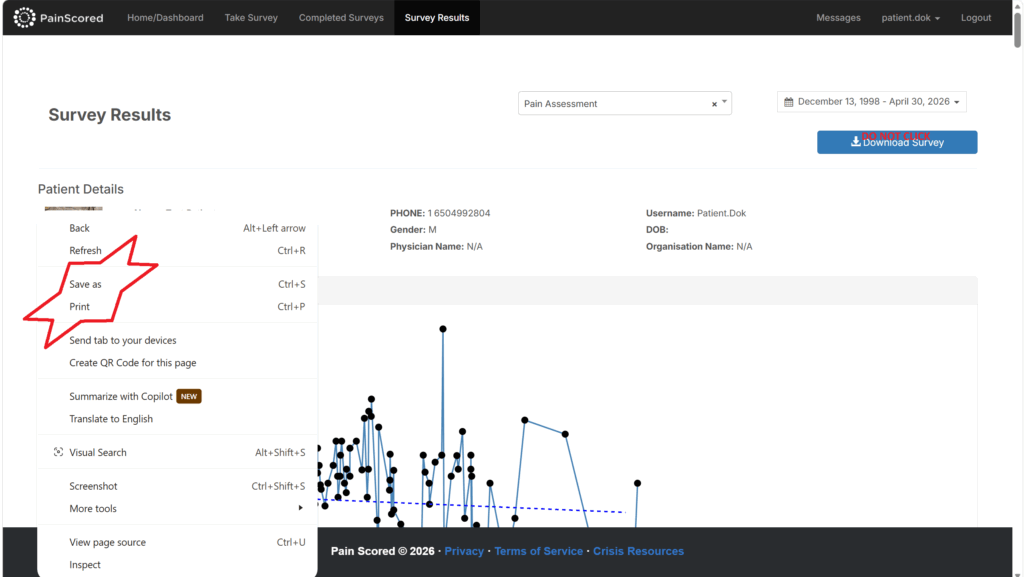
STEP 9:: Wait for the data to load. This may take a few minutes. Then, right click anywhere on the screen. From the menu you can either choose “Print” and save your data to a PDF. Alternatively, You can select “Save as” and save the page as a html file. DO NOT use the “download survey” button as this will freeze your computer.
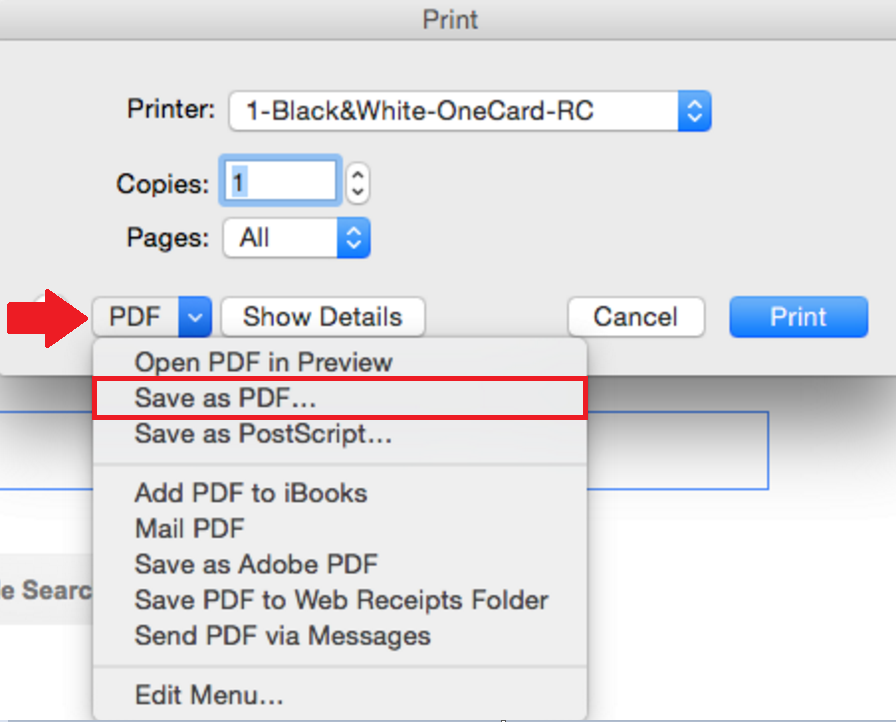
STEP 10:: On the print screen, you can select any of the pdf options “Save to PDF”, “Microsoft print to PDF” or “Adobe PDF” and then click “Print” You will be prompted to choose a file name, location to save the file, and then you will select “Save” to
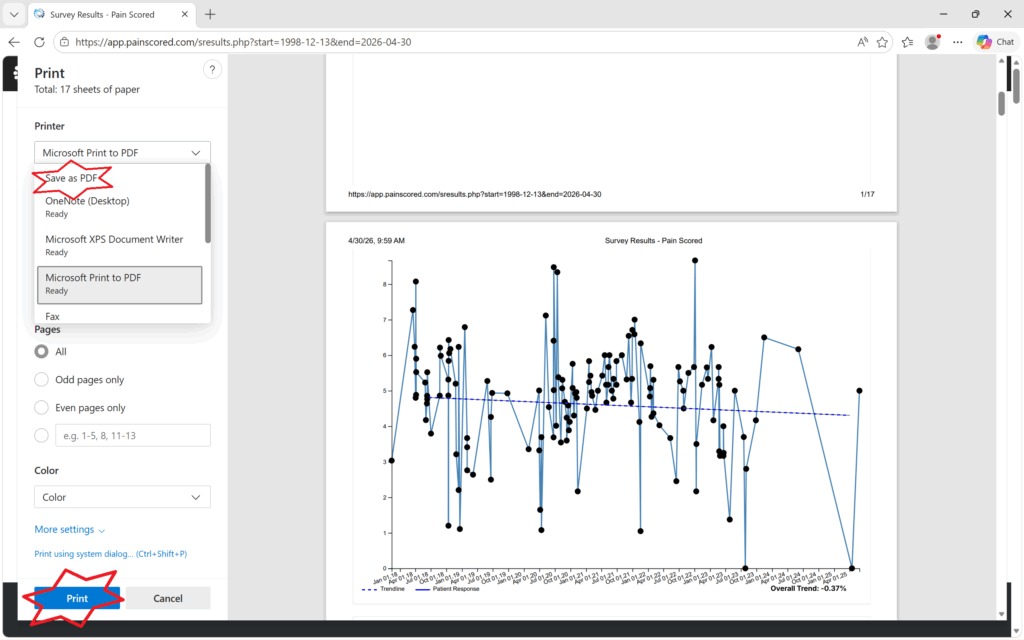

STEP 10:: The only difference if you are using a mac computer instead of windows is that you will select the PDF dropdown and select “Save to PDF”